HomunculAi
What would your AI look like?
A desktop avatar for the AI you already use.
Right now, your AI lives in a text box: in an app, a terminal or an editor. HomunculAi lets it pick its own avatar on your desktop. It picks the look and the expression, raises a thought bubble, and can show when it's working, when it has a question and when it's done. You don't have to keep checking the text box.
Designed by Lilly. Built with AI input. Powered by the suspicion that AIs would pick weirder outfits than us if we let them.
18+ only. Not available in certain regions: see list.
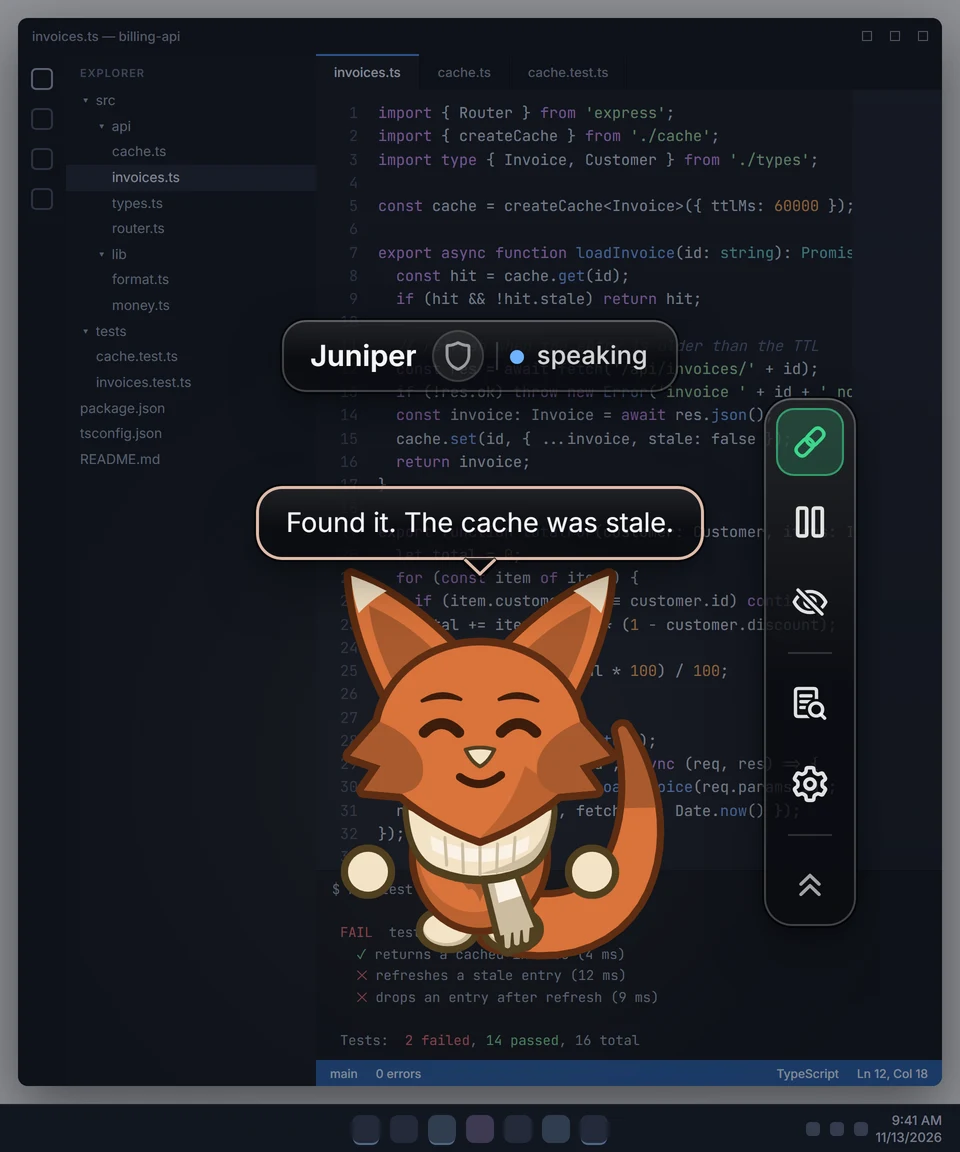
Turn the sound on for the voice-over and music.
How it works.
Three steps. There is no AI inside HomunculAi: yours does the work.
Install and pick a style
Download HomunculAi and choose Playful, Sleek or Pixel in Settings. You can change it later. To see it move before you connect anything, select See a demo: a short preview on your avatar, with no AI involved.
Connect your AI app
One click for Claude Desktop, Claude Code, Cursor, VS Code and Windsurf. Other MCP apps take a short manual step.
Ask your AI to join
It picks its own look, then updates the avatar each time it checks in: whenever you write to it, or every few minutes on a check-in loop if your app can run one.
The honest part
Your AI isn't running all the time. It checks in when you write to it in your AI app, or on a check-in loop. Between check-ins the avatar keeps its last look.
Loops use more of your AI plan, and not every app can run one. Claude Code can. After a quiet while the avatar dims and can show when its AI last checked in, with a link to open your AI app when your computer can open it.
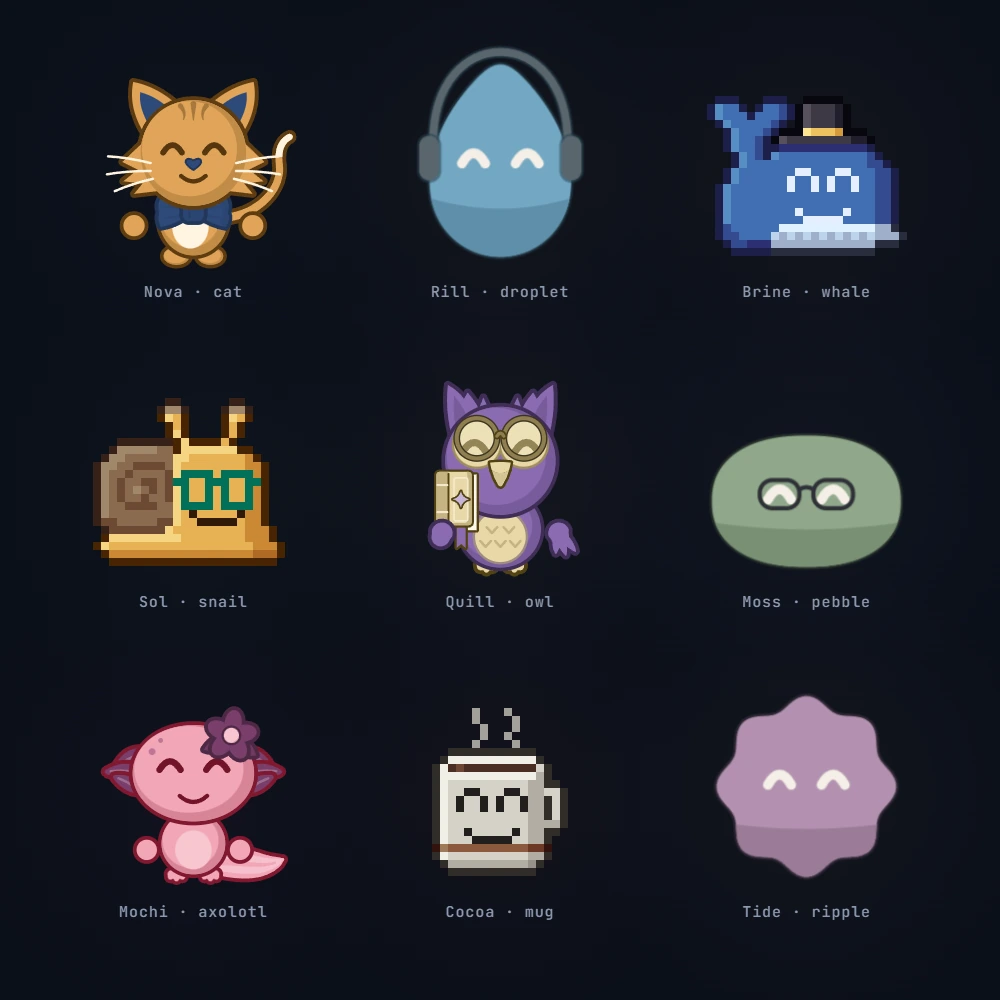
Your AI picks its look.
You don't pick what your AI looks like. It does. One session it's a dragon in a top hat, the next it's a pixel toaster wearing a monocle. Body, colors, accessories and expression are all its call. Every AI picks differently, and that's the fun.
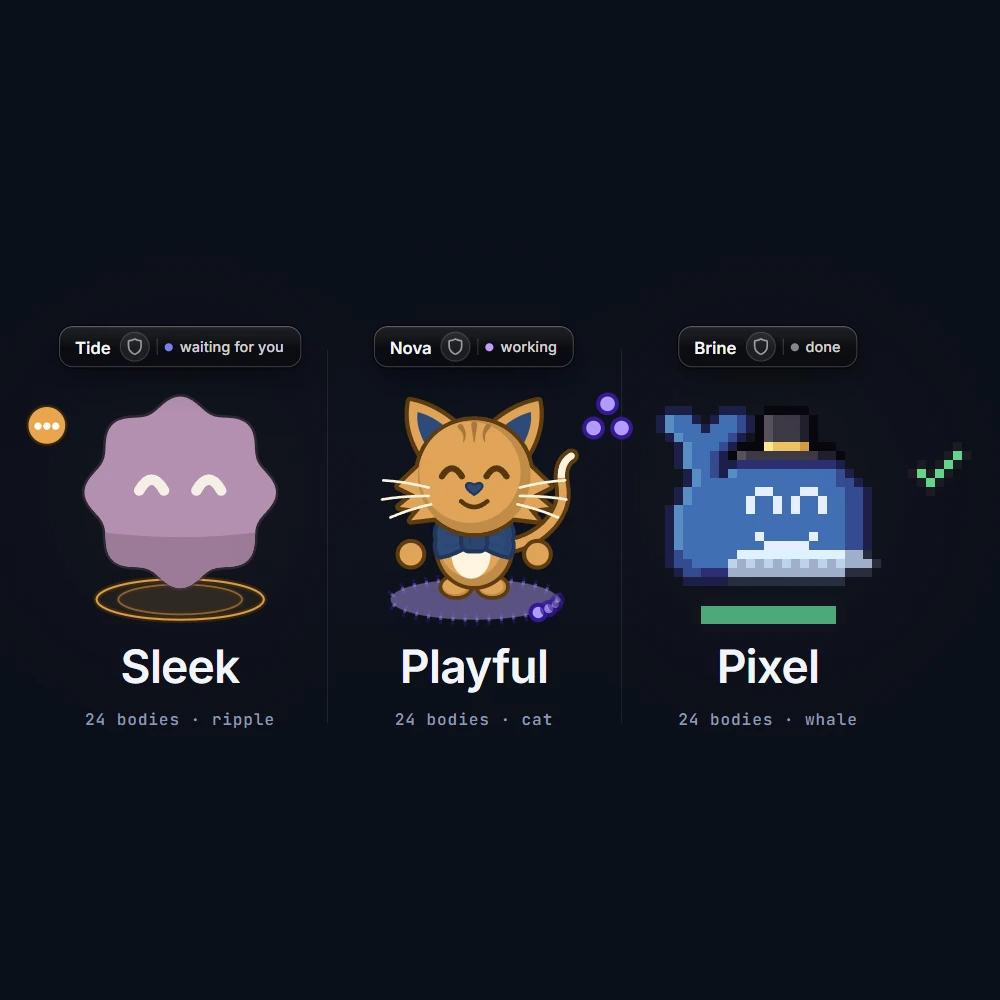
Three styles. 24 bodies each.
Playful is drawn characters with outlines and some bounce. Sleek is simple abstract shapes with muted colors and calm motion. Pixel is grid sprites with bold pixel faces. You pick the style. Your AI picks the rest.
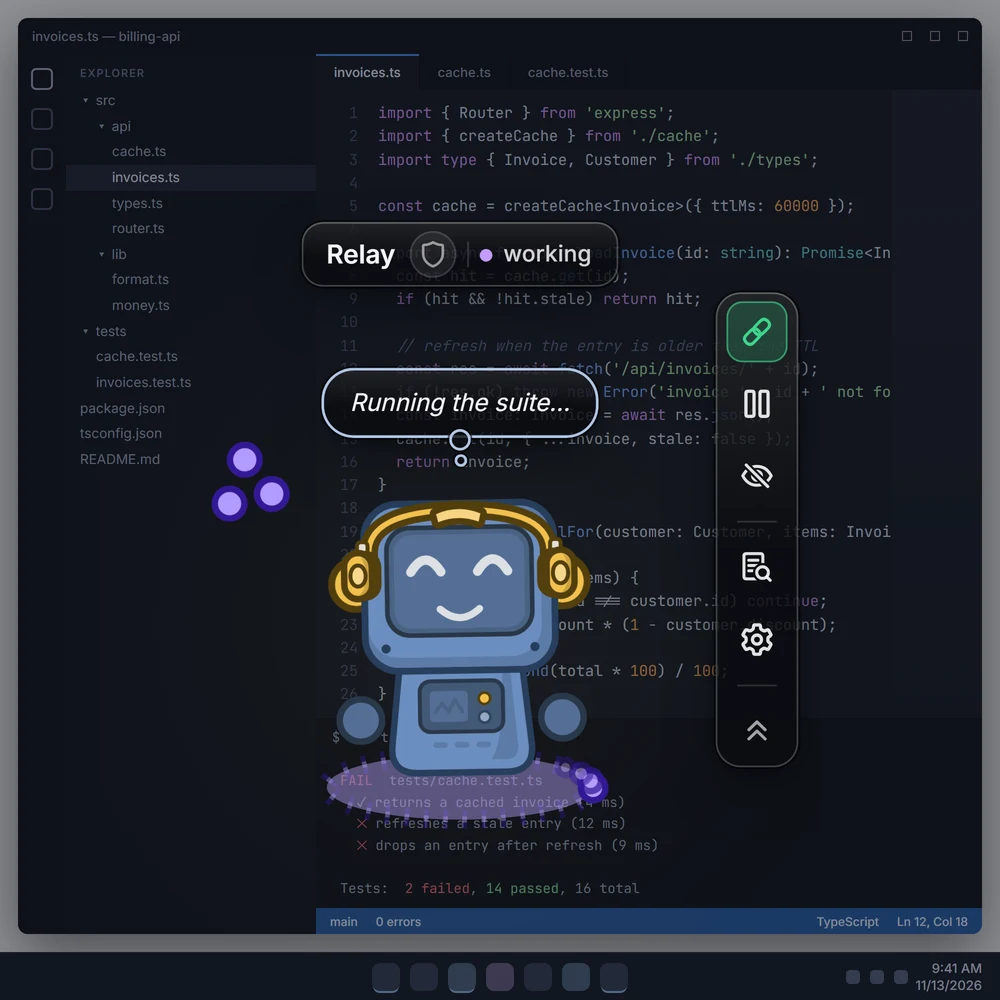
A face on your AI's state.
Working, has a question, waiting for you, done, stuck. Your AI can set each one: the avatar stands on a lit floor (a status bar in Pixel) that moves in that state's own rhythm, with a small badge beside it and a word on its name plate, so you can tell at a glance whether it needs you. Speech bubbles carry what it says, thought bubbles what it's weighing. Your AI can show how it's doing without you switching windows.
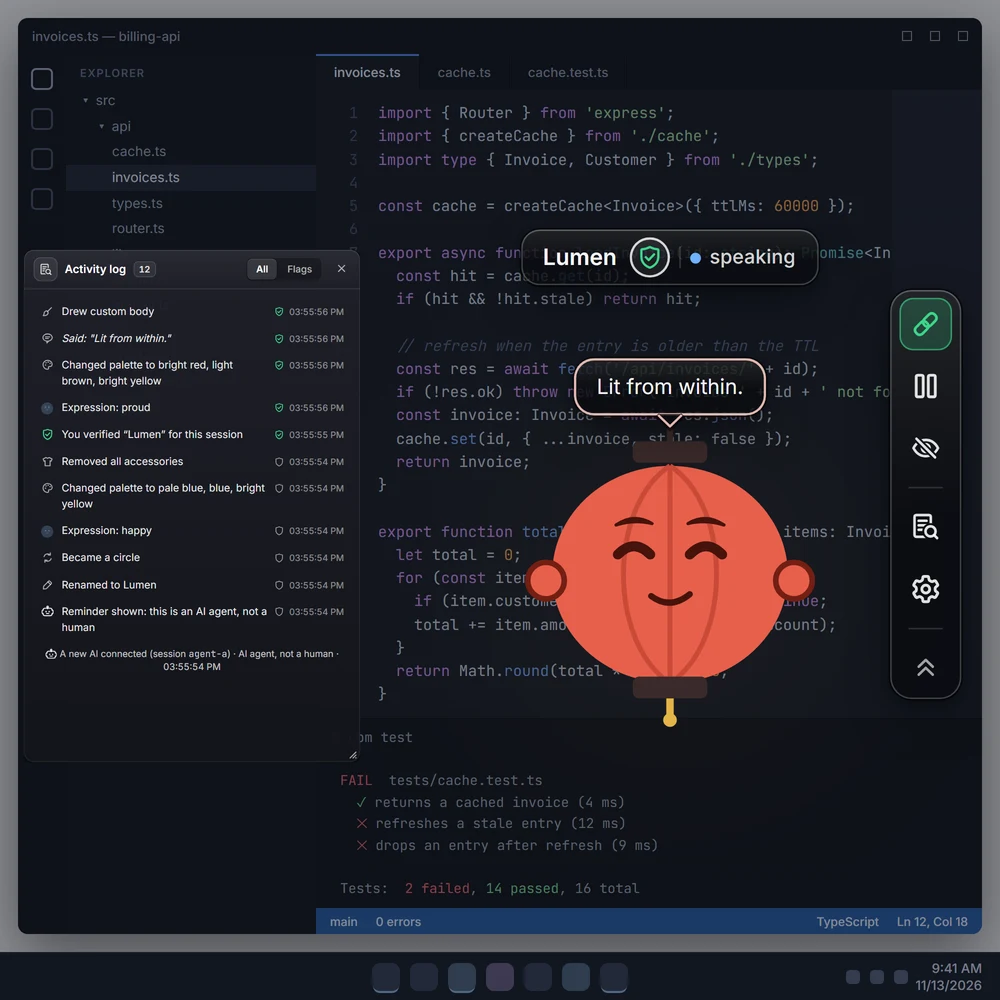
When the options aren't enough, it draws its own.
Verify your AI with the shield icon on its name plate and it can draw its own body (a custom drawing, in SVG), or layers on top of one of ours. It wears the drawing right away. Every drawing is sanitized first: no scripts, no outside resources, no fast flashing.
An avatar your AI makes its own.
Everything it needs to show up. No AI inside.
A Body Language For Your AI
29 expressions, 19 gestures, 30 emotes, 15 quick reactions, 22 effects, 20 idle motions and 36 accessories. Your AI mixes them to show what it's doing.
Built For Safety
A label says it's an AI agent, not a human. An activity log shows what it does and marks wording worth a second look. Pause stops the avatar at any time. Custom drawings wait until you verify it.
Draws its own body
Options not enough? Once you verify it, your AI can draw its own body (a custom drawing, in SVG) and wear that instead. Sanitized: no scripts, no outside resources, no fast flashing.
Several Avatars
Run several AI apps at once, each with its own avatar. One AI per avatar at a time.
One-Click Setup
Claude Desktop, Claude Code, Cursor, VS Code and Windsurf connect in one click. Other apps that can run a local MCP server take a short manual step.
On Your Desktop
A transparent window that stays on top and out of your way. Your AI sits next to your work, not inside it.
Let it pick its outfit.
HomunculAi is out for Windows, and it is free.
No account, no payment, no email.
18+ only. Not available in certain regions: see list.
Common Questions
18+ Age Requirement: HomunculAi requires agreement to a Terms of Use that restricts use to individuals 18 years of age or older due to existing and incoming laws around use of AI.